Let’s be real for a second. When you hear “hardware security module” — or HSM — you probably think of massive banks, government agencies, or maybe a tech giant’s server farm. Not your cozy little e‑commerce shop or the local accounting firm you run from a co‑working space. But here’s the thing: small businesses are getting hit by cyberattacks more than ever. And honestly? The old “password on a sticky note” approach isn’t cutting it anymore.
So, what if I told you there’s a device — a literal piece of hardware — that can guard your digital keys like a medieval castle guards its treasure? That’s an HSM. And it’s not just for the big guys anymore. Let’s dive in.
What Exactly Is a Hardware Security Module?
Imagine a safe. A really, really smart safe. One that not only locks away your most sensitive cryptographic keys but also performs encryption and decryption inside itself — without ever exposing those keys to the outside world. That’s an HSM. It’s a dedicated, tamper-resistant device designed to manage, protect, and generate digital keys.
Think of it like a bouncer at an exclusive club. The bouncer (the HSM) holds the list of VIPs (your keys). You can ask the bouncer to check someone in or out, but you never get to see the list yourself. That separation — that physical isolation — is what makes HSMs so powerful.
For a small business, this might sound overkill. But consider this: a single data breach can cost a small business an average of $120,000 to $200,000. That’s not just money — that’s reputation, customer trust, and maybe your entire operation. Suddenly, a $500–$2,000 HSM doesn’t sound so crazy, does it?
Why Small Businesses Need HSMs (More Than You Think)
Here’s the deal: cybercriminals love low-hanging fruit. And small businesses? They’re the juiciest apples on the tree. Why? Because they often lack the budget for enterprise‑grade security, yet they hold sensitive data — credit card numbers, client files, employee records.
Sure, you might use cloud encryption or a password manager. But those tools often store your encryption keys in software. And software can be hacked. An HSM stores keys in hardware — and that hardware is built to physically destroy itself if tampered with. No joke. Some HSMs have sensors that detect drilling, extreme temperatures, or even voltage spikes, and they wipe the keys instantly. It’s like a spy movie, but for your business data.
Compliance? Yeah, That Too
If you handle credit card payments, you’ve heard of PCI DSS. If you deal with healthcare data, HIPAA is your nightmare. And if you’re in Europe, GDPR can fine you millions. Guess what? HSMs are often a requirement — or at least a strong recommendation — for these compliance standards. They provide a verifiable, hardware‑based root of trust. Auditors love that.
Let’s put it this way: an HSM doesn’t just protect your data; it protects your compliance posture. And in a world where regulators are getting stricter, that’s worth its weight in gold.
How Does an HSM Actually Work? (The Not‑Too‑Techy Version)
Alright, let’s strip away the buzzwords. An HSM is basically a tiny computer with one job: handle cryptography. It has its own processor, its own memory, and its own operating system — all locked inside a tamper‑proof box. When you need to encrypt a file or sign a digital certificate, you send the request to the HSM. The HSM does the math, spits out the result, but never reveals the private key.
Here’s a quick analogy. You know those self‑service kiosks at the airport? You check in, print your boarding pass, but you never see the airline’s backend system. The HSM is like that kiosk — you interact with it, but the inner workings stay hidden.
For small businesses, the most common use cases are:
- SSL/TLS certificate management — securing your website’s HTTPS connection.
- Code signing — verifying that your software hasn’t been tampered with.
- Database encryption — protecting customer records.
- Two‑factor authentication (2FA) — some HSMs can act as a root of trust for 2FA tokens.
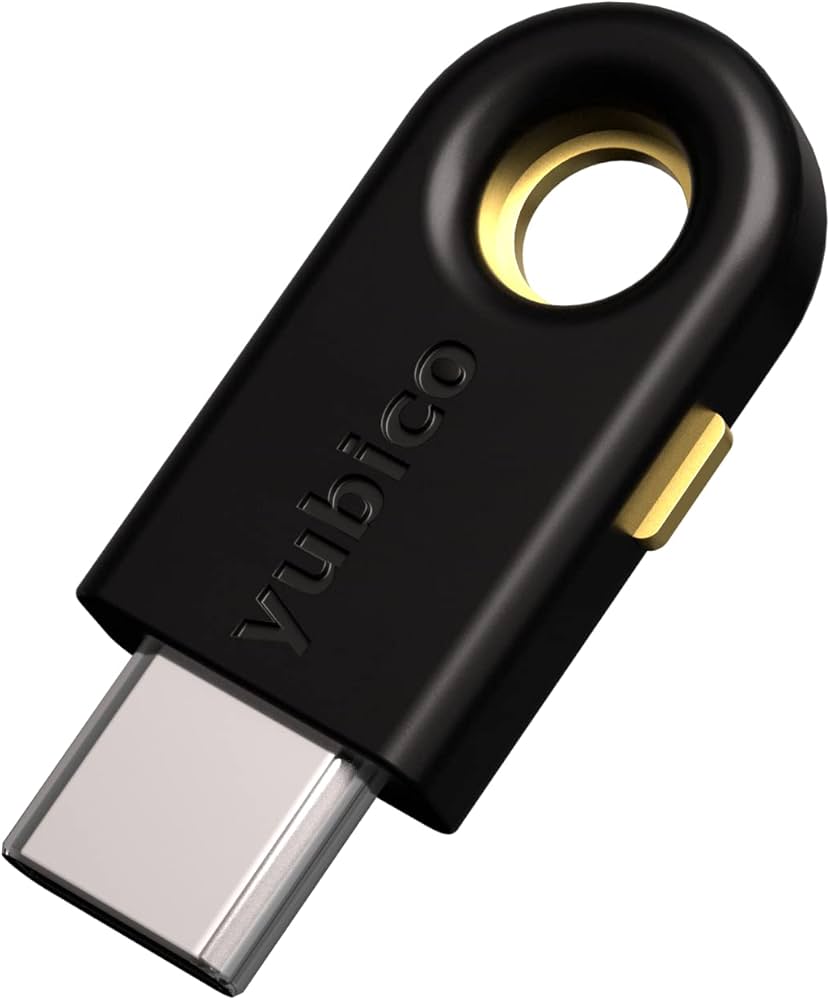
And the best part? Many modern HSMs are plug‑and‑play. You don’t need a PhD in cryptography to set one up. Some even come as USB devices — just plug it into your server, and you’re good to go.
Cloud HSMs vs. On‑Premise: Which One for a Small Biz?
This is where a lot of small business owners get stuck. Do you buy a physical box that sits in your office? Or do you use a cloud‑based HSM service?
Honestly, both have pros and cons. Let’s break it down.
| Feature | On‑Premise HSM | Cloud HSM |
|---|---|---|
| Cost | Higher upfront ($500–$5,000) | Pay‑as‑you‑go (monthly) |
| Control | Full physical control | Managed by provider |
| Compliance | Easier to audit locally | Depends on provider’s certifications |
| Maintenance | You handle updates | Provider handles it |
| Scalability | Limited by hardware | Almost infinite |
For a small business just starting out, a cloud HSM from AWS, Azure, or Google Cloud might be the easiest route. You don’t have to worry about physical security, backups, or firmware updates. But — and this is a big but — you’re trusting a third party with your keys. Some businesses prefer the peace of mind that comes with a physical device they can lock in a drawer.
My advice? If you’re a one‑person shop or a tiny team, start with a cloud HSM. If you’re a growing business with a dedicated server room (or even a locked closet), an on‑premise HSM might be worth the investment. Either way, you’re light‑years ahead of storing keys in a text file.
Real‑World Example: A Small Law Firm’s Nightmare (and How an HSM Helped)
I once spoke with a friend who runs a three‑person law firm. They stored client contracts on a shared drive, encrypted with a password they all knew. One day, a phishing email gave a hacker access to that drive. The hacker didn’t steal the files — they encrypted them with ransomware. The firm lost weeks of work and paid a $10,000 ransom.
After that, they got a small USB‑based HSM. Now, all their encryption keys live inside that device. Even if a hacker gets into their network, they can’t access the keys without the physical HSM. It’s not perfect — no security is — but it’s a massive upgrade from “password123”.
That’s the real value of an HSM. It’s not about being unhackable. It’s about raising the bar so high that attackers move on to easier targets. And for a small business, that’s often enough.
Common Misconceptions (Let’s Clear the Air)
I hear a lot of myths about HSMs. Let’s squash a few:
- “HSMs are only for big corporations.” Nope. There are affordable models designed for small businesses. YubiHSM, for example, costs around $500.
- “I can just use software encryption.” You can. But software keys are vulnerable to memory scraping, malware, and insider threats. Hardware adds a physical barrier.
- “HSMs are too complicated to set up.” Some are, sure. But many modern HSMs come with simple web interfaces or APIs. If you can set up a router, you can set up a basic HSM.
- “I don’t have any sensitive data.” Oh, you do. Customer emails, payment info, business plans — it’s all sensitive.
Getting Started: Your First HSM in 4 Steps
Ready to take the plunge? Here’s a simple roadmap:
- Audit your data. What needs protecting? Credit card numbers? Client files? Employee records? List it all.
- Choose your form factor. USB HSM (like YubiHSM) for portability. Network HSM (like those from Thales or Utimaco) for centralized management. Or cloud HSM for zero hardware.
- Integrate with your existing tools. Most HSMs work with popular platforms — AWS, Azure, OpenSSL, Microsoft AD CS. Check compatibility first.
- Test, test, test. Don’t deploy it live without a dry run. Generate a test key, encrypt a dummy file, and decrypt it. Make sure the workflow feels natural.
And remember: an HSM isn’t a set‑and‑forget solution. You still need good passwords, regular backups, and employee training. But it’s a hell of a foundation.
The Bottom Line: Why Your Small Business Should Care
Look, I get it. You’re busy. You’ve got payroll to run, customers to serve, and maybe a leaky faucet in the breakroom. Security feels like a “future me” problem. But the future has a way of arriving faster than you think.
Hardware security modules aren’t a magic bullet. They won’t stop every attack, and they won’t make you invincible. What they will do is give you a fighting chance. They turn your encryption from a flimsy cardboard box into a steel vault. And in today’s threat landscape, that’s not a luxury — it’s a necessity.
So, maybe it’s time to stop thinking of HSMs as “enterprise‑only” gear. They’re for anyone who values their data — and that includes you.