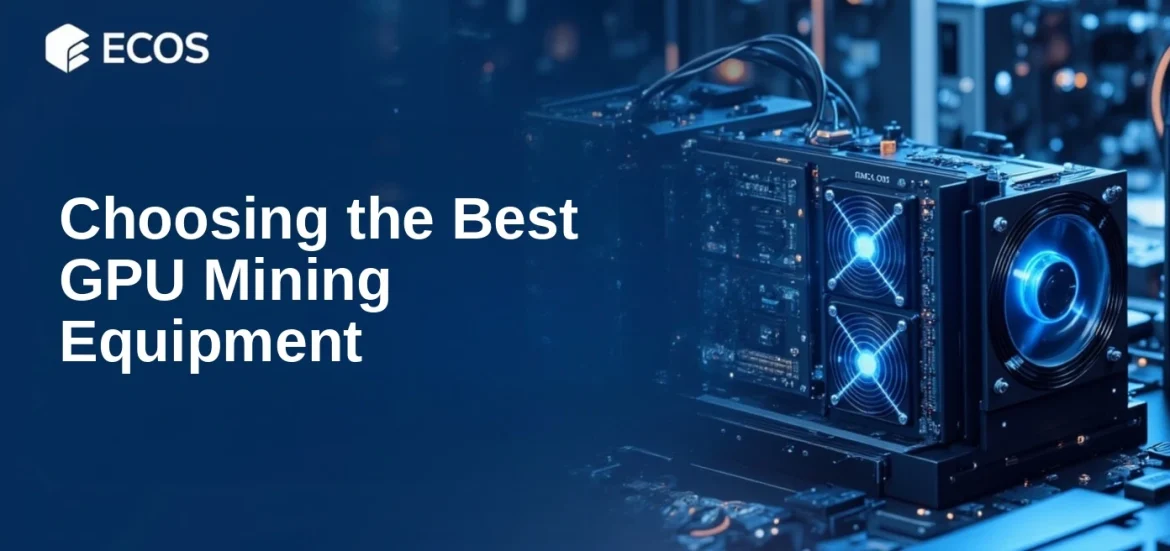
Let’s be honest. When you think about securing your crypto mining operation, your mind probably jumps to software—firewalls, antivirus, that sort of thing. And sure, that’s crucial. But what about the physical machine humming away in your basement or spare room? The hardware itself is a massive, often overlooked, vulnerability.
Think of your mining rig not just as a computer, but as a literal vault. Inside is the potential for future wealth, and it’s running 24/7. That makes it a target. From simple theft to sophisticated physical tampering, the threats are real. Here’s the deal: building a fortress for your hardware is just as important as encrypting your wallet. Let’s dive into the practical, tangible steps you can take.
The Foundation: Physical Security and Environmental Control
You wouldn’t leave a stack of cash on your porch. So why leave thousands of dollars in hardware in plain sight? The first line of defense is where and how you house your rig.
Location, Location, Location
Ideally, your mining setup should be out of casual view. A locked closet, a dedicated office you can secure, even a well-anchored rack in a garage (with environmental controls, more on that in a sec). The goal is to make it inconvenient to access. For serious setups, a small, ventilated server cabinet with a lock is a smart investment. It’s a visual and physical deterrent.
Taming the Beast: Heat, Dust, and Power
Security isn’t just about keeping people out. It’s about protecting the hardware from itself. Overheating is a silent killer—it can permanently damage your GPUs or ASICs, turning your gold mine into a very expensive paperweight.
A clean, cool rig is a secure rig. Dust buildup acts as an insulator, trapping heat. You need a disciplined cleaning schedule. Every few weeks, power down and use compressed air. And ventilation—non-negotiable. Dedicated intake and exhaust fans, maybe even ducting hot air directly outside. Consider ambient room temperature sensors that can alert your phone if things get too toasty.
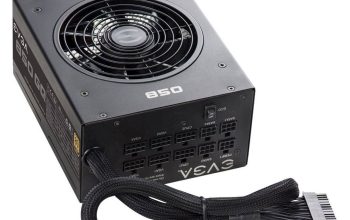
Then there’s power. A sudden surge or brownout can fry components. A quality Uninterruptible Power Supply (UPS) does two things: it conditions incoming power, smoothing out surges, and it gives you a graceful shutdown window during an outage. This prevents data corruption and hardware stress. Don’t cheap out here.
Hardening the Hardware Itself
Okay, your rig is in a good spot. Now, let’s lock down the components. This is about making tampering obvious and access difficult.
Tamper-Evident Seals and Physical Locks
For multi-GPU rigs, use simple nylon security tags or tamper-evident stickers on the case screws and PCIe slots. If someone tries to unscrew the case or remove a card, the seal breaks. You’ll know. It’s a low-cost, high-visibility deterrent. For cases or server racks, physical barrel locks or padlocks are a basic must.
The BIOS/UEFI Lockdown
This is a big one, honestly. Your motherboard’s BIOS (or UEFI) is the deepest level of software on your machine. If someone gains physical access, they can boot from a USB drive and potentially compromise your entire system or even steal wallet keys stored on a connected drive.
Here’s what to do, step-by-step:
- Set a supervisor/administrator password in the BIOS. This prevents unauthorized changes to settings.
- Disable booting from all external devices (USB, CD/DVD). Set the boot order to your primary mining OS drive only.
- Enable a boot password. This requires a password before the operating system even starts to load.
- If your motherboard supports it, use a TPM (Trusted Platform Module) chip. This dedicated microcontroller handles encryption keys securely, adding a hardware-based layer for disk encryption.
Network and Peripheral Defenses
Your rig’s connections are potential backdoors. We need to close them.
The “Air-Gap” Mentality for Your Wallet
The most critical piece of data on your mining rig isn’t the mining software—it’s your wallet. The wallet that holds your mined coins. The best practice? Keep it off the mining rig entirely. Use a dedicated, offline hardware wallet (like a Ledger or Trezor) for your main holdings. Your mining rig should only have a “hot wallet” with small amounts for operational purposes. This way, even if the rig is compromised, your treasure is elsewhere.
Securing Network Access Points
Most personal mining rigs run headless (no monitor). You access them remotely. That’s a vector.
First, if you’re using a standard OS like Windows or Linux, disable any unused physical ports. In the BIOS, disable the audio jack, extra USB controllers you don’t need. In the OS, disable Bluetooth. Fewer doors, fewer problems.
For remote management software (like TeamViewer, AnyDesk, or even SSH for Linux-based miners), use strong, unique passwords and two-factor authentication (2FA) everywhere. No exceptions. Isolate your mining rig on a separate VLAN from your personal computers and smart devices, if your router supports it. This contains any potential breach.
Operational Vigilance and Maintenance
Security isn’t a one-time setup. It’s a habit.
Keep a simple log. Note when you clean, when you update drivers or mining software, when you check physical seals. This isn’t just busywork—it creates a baseline. You’ll notice anomalies faster.
Be paranoid about firmware. GPU vBIOS, motherboard firmware, PSU firmware (for high-end units). Manufacturers release updates that sometimes patch security vulnerabilities. Updating can be nerve-wracking—a bad flash can brick a component—so research each update carefully. But don’t ignore them indefinitely.
And finally, have a plan. What happens if a GPU fails? What’s your process for securely decommissioning a drive? Knowing this ahead of time prevents panic and sloppy, insecure decisions later.
A Quick Security Checklist Reference
| Category | Action Item | Priority |
| Physical | Secure, locked location; Tamper-evident seals; Clean, cool environment | High |
| Power | Quality Surge Protector; Uninterruptible Power Supply (UPS) | High |
| BIOS/UEFI | Set admin & boot passwords; Disable external boot; Enable TPM if available | Critical |
| Wallet | Use offline hardware wallet for main storage; Keep only hot wallet on rig | Critical |
| Network | Strong remote access passwords + 2FA; Disable unused ports; Consider VLAN | High |
| Operational | Maintenance log; Careful firmware update policy; Decommissioning plan | Medium |
Look, securing hardware feels… analog. In a digital world, it’s easy to forget the physical layer. But your mining rig is a bridge between the two. It’s a piece of the real world that interacts with the blockchain. Protecting it requires a blend of old-school prudence and new-school savvy.
You’re not just running some software. You’re maintaining a piece of critical financial infrastructure—yours. That mindset shift, from casual operator to diligent custodian, is perhaps the most powerful security measure of all.