Let’s be honest. Your digital life is scattered everywhere. Photos on a phone, documents in the cloud, passwords in a browser, financial records in an email thread. It’s convenient, sure. But it’s also fragile. One breach, one service shutting down, one forgotten password, and pieces of you can vanish or be exposed.
That’s why the idea of a personal sovereign data vault is catching on. It’s not just backup. It’s about declaring digital independence. Owning your information outright, on your terms. Think of it less like a safety deposit box and more like a fortified, self-sufficient homestead for your bits and bytes.
What Exactly Is a Sovereign Data Vault?
Okay, so the term sounds a bit grand. But the concept is straightforward. A sovereign data vault is a personal, controlled system for storing, managing, and protecting your most important digital assets. The core principles are ownership, control, and security. You’re moving from being a tenant on someone else’s platform (Google, Apple, Dropbox) to being the landlord of your own.
The goal? To have a central, secure hub for things like identity documents, family memories, legal records, creative projects, and even cryptocurrency keys. It’s the digital equivalent of gathering your important papers from various drawers and filing them in a fireproof safe—only you also built the safe and hold the only key.
The Building Blocks: Your Vault Foundation
You don’t need to be a tech wizard to start. Honestly, you can begin with what you have. But to build something robust, you’ll want to consider these layers.
1. The Hardware: Where Your Data Lives
This is your physical foundation. Using only a cloud service is, well, just renting again. For true sovereignty, you need local hardware you control.
- A Network-Attached Storage (NAS) device: This is a popular choice. It’s a dedicated computer for storage that connects to your home network. Brands like Synology or QNAP offer user-friendly systems. It’s like having your private cloud server at home.
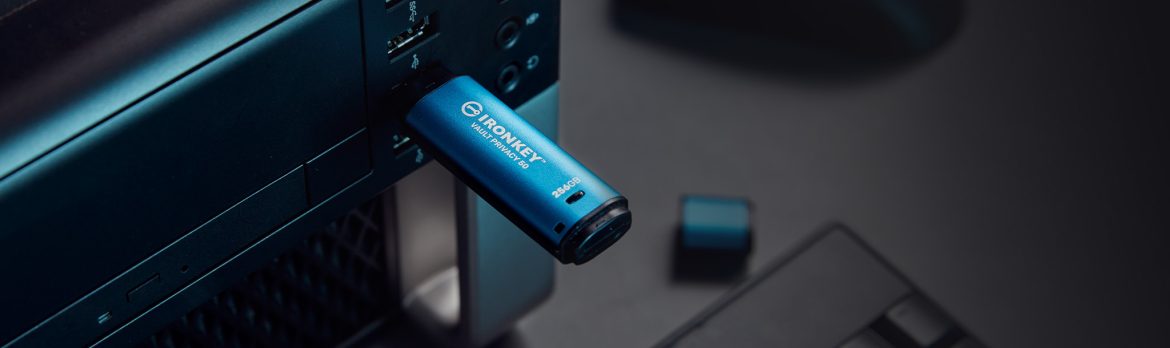
- External Hard Drives (for cold storage): For your most critical, rarely-accessed data (think wills, master encryption keys), an offline external drive stored physically securely is gold. This “air-gapped” approach defeats online threats completely.
- An old computer: With some free software (like TrueNAS or Nextcloud), you can repurpose an old PC into a server. It’s more hands-on, but a great learning project.
2. The Software: The Brain and Brawn
Hardware is dumb without software to manage it. Here’s where you set the rules.
| Software Type | What It Does | Examples |
| File Sync & Sharing | Lets you access files from anywhere, sync across devices, share securely. | Nextcloud, Synology Drive, Resilio Sync. |
| Backup | Automatically creates versioned copies of data from your other devices. | Veeam Agent, Duplicati, UrBackup. |
| Password Manager | Stores and generates unique, strong passwords. A core vault component. | Self-hosted Bitwarden, KeePassXC. |
| Encryption | Scrambles your data so it’s unreadable without a key. | VeraCrypt (for drives), Cryptomator (for cloud folders). |
Fortifying Your Fortress: Non-Negotiable Security
Building the vault is step one. Locking it down is where most folks stumble. You can’t just set it and forget it. Security is a habit.
Encryption is Your Moat and Drawbridge
If you remember one thing, make it this: encrypt everything. Full-disk encryption on your NAS, encryption on your backups, encryption on sensitive folders. Even if someone steals the hardware, the data is just digital gibberish without your key.
And about those keys? Your master passwords and recovery keys are the crown jewels. They must never live solely on a connected device. Write them down on paper—seriously, analog beats digital here—and store them in a physically secure place. A safe. A lockbox. Not a sticky note on the monitor.
The 3-2-1 Backup Rule: Your Safety Net
This is the golden rule, and it’s non-negotiable for a resilient vault. Have 3 total copies of your data, on 2 different media, with 1 copy off-site.
- Copy 1: Your primary vault (e.g., your NAS at home).
- Copy 2: An external hard drive (different media) you update monthly.
- Copy 3 (Off-site): An encrypted backup to a cloud service (like Backblaze) or a drive at a friend’s house. This saves you from fire, flood, or theft.
The Human Element: Your Weakest Link & Greatest Strength
All this tech is pointless if you, you know, use “password123” for everything. The human layer is critical.
Use a password manager. Please. Enable two-factor authentication (2FA) on every service that touches your vault, especially if it’s accessible online. And be wary of phishing—that fancy NAS login page emailed to you might be a trap. Always type addresses directly.
Also, audit your data. Periodically. What’s in there? Do you need old tax returns from 2005? Pruning reduces your “attack surface” and keeps things manageable.
The Trade-Off: Convenience vs. Control
Here’s the real talk. A sovereign vault is less convenient
But the payoff is immense. It’s privacy no company can sell. It’s resilience against service outages. It’s the profound peace of mind knowing your digital legacy isn’t subject to a corporation’s changing terms of service. You’re trading a little convenience for a lot of autonomy.
Start small. Don’t try to migrate your entire digital life in a weekend. Begin with your most sensitive documents. Get that encrypted, backed up locally and off-site. Master that workflow. Then add your photo library. Then your password manager. It’s a marathon, not a sprint.
In a world that constantly extracts data from you, building a sovereign vault is a quiet act of reclamation. It’s saying, “This is mine. I’ll protect it.” It’s not about paranoia. It’s about stewardship. And in the digital age, that might just be one of the most empowering skills you can learn.