
Let’s be honest. When you’re building a PC for your home office, performance usually takes the front seat. You’re thinking about cores, clock speeds, and that sweet, sweet RAM. But there’s a quiet, often overlooked factor that deserves a spotlight: power consumption.
Why? Well, a low-power PC isn’t just about saving a few bucks on your electricity bill—though that’s a nice perk. It’s about building a system that runs cooler, quieter, and with a lighter conscience. It’s sustainable computing. Think of it like choosing a fuel-efficient car for your daily commute. You still get where you need to go, but you’re not guzzling resources just idling at your digital stoplights.
The “Why” Behind the Watts
Here’s the deal. A traditional desktop can easily sip—or gulp—between 150 to 400 watts under load. Multiply that by hours of daily use, and the energy footprint adds up. An energy-efficient home office PC, on the other hand, can handle typical tasks (spreadsheets, video calls, writing, moderate multitasking) while sipping power like a fine tea, often staying under 50 watts for these workloads.
The benefits are pretty tangible:
- Lower Operating Costs: It translates directly to savings, especially with energy prices being what they are.
- Reduced Heat Output: Less power in means less heat out. Your office stays more comfortable, and you might even cut down on AC use.
- Near-Silent Operation: Low-power components generate less heat, which means fans don’t have to spin as fast. Or at all. The peace is… profound.
- Longer Component Lifespan: Cooler, stable running conditions generally lead to a longer, healthier life for your hardware.
- The Feel-Good Factor: You’re actively reducing your carbon footprint. It’s a small step, sure, but a meaningful one.
Core Components: Choosing the Sippers, Not the Guzzlers
Alright, let’s dive into the heart of the build. The key is balancing sufficient performance with minimal power draw. You’re not building a gaming rig or a 4K video editing monster. You’re crafting a thoughtful, efficient tool.
The Brain: CPU & Integrated Graphics
This is your most critical choice. Modern processors from both Intel and AMD have fantastic low-power options. Honestly, you’ll want to focus on chips with a TDP (Thermal Design Power) in the 15W to 65W range. TDP isn’t a perfect measure of actual power use, but it’s a great guidepost.
Forget discrete graphics cards for this build. They’re power hogs. Instead, lean on the integrated graphics in modern CPUs. AMD’s Ryzen 5 and 7 series with Radeon Graphics (look for “G-series” chips) and Intel’s Core i3/i5 with Iris Xe graphics are more than capable for office work and even light media playback.
The Foundation: Motherboard & Power Supply
Your motherboard should be the right size (mini-ITX or micro-ATX are great for compact builds) and, well, just reliable. Don’t overspend on features you won’t use.
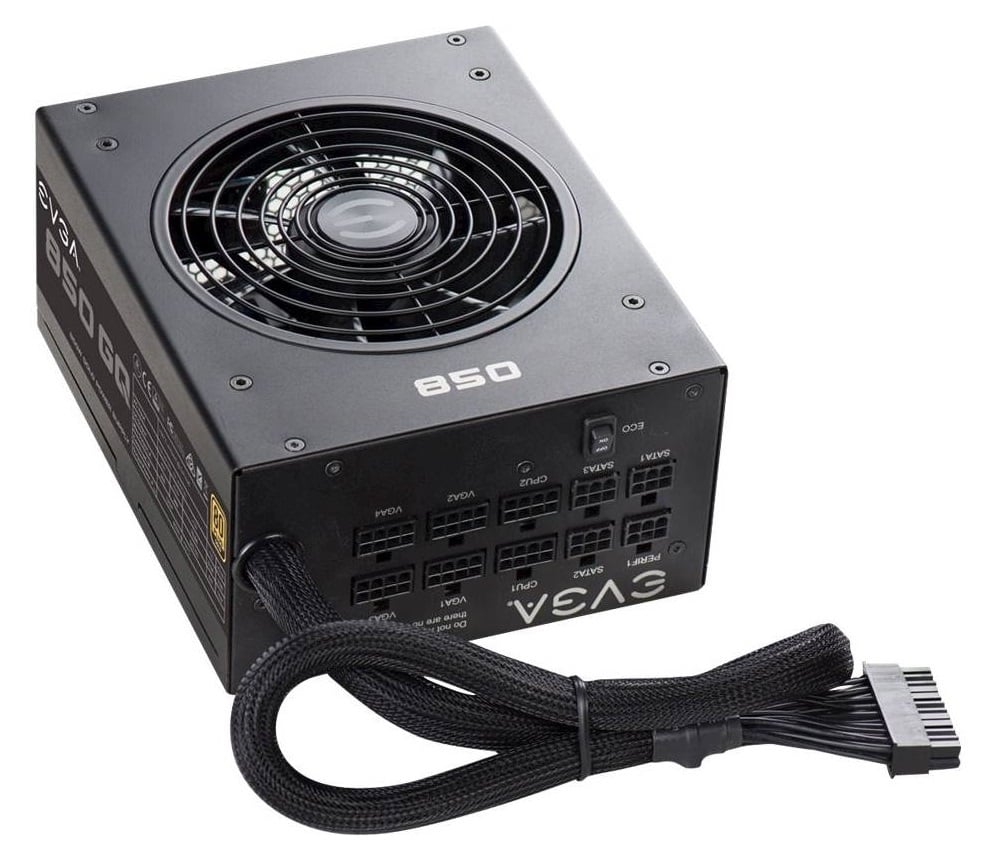
The Power Supply Unit (PSU), however, is where efficiency gets a grade. You must, and I mean must, choose a PSU with an 80 Plus certification. Aim for Gold or Platinum. Here’s a quick breakdown of what that means for power efficiency:
| 80 Plus Rating | Efficiency at 50% Load | Good For |
| Bronze | 85% | Budget builds, but not ideal for our goal. |
| Silver | 88% | A solid, often overlooked middle ground. |
| Gold | 90% | The sweet spot for a low-power office PC. |
| Platinum | 92% | Excellent, but price premium is higher. |
And here’s a pro-tip: get a PSU with the right wattage. A 450W or 550W Gold-rated unit is plenty. An oversized 850W PSU operates less efficiently at the low loads your system will create.
Memory and Storage: Speed with Efficiency
RAM: 16GB is the new sweet spot for comfortable multitasking. Opt for lower-voltage DDR4 or DDR5 RAM if your platform supports it—it’s designed to be more efficient.
Storage: This is easy. Use an NVMe SSD. Period. They have no moving parts, are blazing fast, and use less power than traditional hard drives or even SATA SSDs. The speed difference feels like upgrading from a bicycle to a teleporter.
The Silent Partner: Cooling & Case
Since your components will run cool, you can use the stock CPU cooler that comes in the box—they’re often adequate. But for true silence, a simple, low-profile aftermarket air cooler is a worthy investment.
Choose a case with good airflow. It sounds counterintuitive, but good airflow means fans can spin slower to move the same amount of air. A mesh-front case is your friend. You might even find you only need one or two case fans total.
Beyond the Hardware: The Software & Habit Layer
Building the PC is half the battle. How you use it completes the picture. Sustainable computing is a practice.
First, dive into your operating system’s power settings. Set it to “Balanced” or “Power Saver” mode. Configure your display and system to sleep after short periods of inactivity. These settings save a surprising amount of energy over time.
Second, be mindful of your workflow. Do you really need 25 browser tabs open indefinitely? Each one consumes resources. Get into the habit of closing what you’re not using. It’s digital tidying, and it helps your PC run lighter.
Finally, think about peripherals. A huge, flashy gaming monitor is a power drain. A modest, IPS panel with an LED backlight is easier on the eyes and the grid. And for goodness sake, use a smart power strip to completely cut phantom power to speakers, printers, and lamps when you shut down for the day.
The Bigger Picture: A Thoughtful Machine
So, what are we really building here? We’re not just assembling silicon and steel. We’re making a conscious choice to reject the “more power at any cost” mentality for a context where it doesn’t serve us.
An energy-efficient home office PC is a testament to the idea that enough is enough. It’s a machine that respects its environment—both the four walls of your office and the wider world. It hums along quietly, reliably, and efficiently, asking for little in return.
In the end, it feels less like a piece of tech and more like a well-designed tool. And that’s the point, isn’t it? To have technology that serves our work—and our values—without shouting, overheating, or weighing on our minds. That’s a build worth powering up.