Let’s be honest. In a world of cloud-everything, choosing to self-host your data is a bit like building your own vault instead of renting a safety deposit box. It’s a statement. A commitment to control. But here’s the deal: that control is only as strong as the physical foundation you build it on. You can have the most encrypted, air-gapped software setup imaginable, but if your hardware isn’t up to snuff, you’re building a fortress on sand.
So, let’s dive into the often-overlooked world of hardware for self-hosted privacy. This isn’t about buying the fastest gaming rig. It’s about intentional, thoughtful choices that turn your hardware from a mere appliance into a true guardian of your digital life.
The Foundation: Choosing Your Core Hardware
Where do you even start? The heart of your self-hosted setup is, well, the computer itself. You’ve got a few paths, each with its own flavor of trade-offs between control, cost, and complexity.
Option 1: The Dedicated Server (The Purist’s Path)
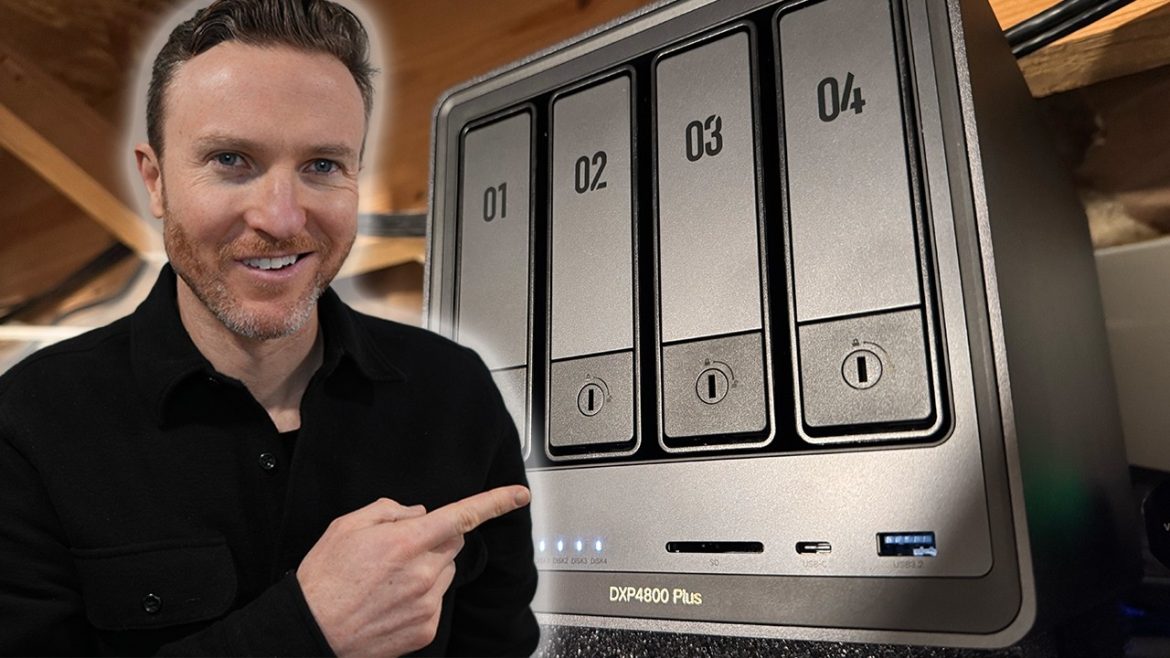
This is running your services on a machine you own, physically, in your home or office. It’s the gold standard for control. You can audit every component, manage the physical network cable, and even unplug it from the wall on a whim.
Key considerations here are noise, power, and heat. A rack server sounds like a jet engine—not ideal for the living room. Modern, low-power hardware like Intel NUCs, mini PCs, or ARM-based boards (think Raspberry Pi for lighter loads) have become incredibly capable. They sip electricity and are silent, making them perfect for always-on, home server hardware for data security.
Option 2: The VPS (The Balanced Compromise)
Renting a Virtual Private Server in a data center is still a form of self-hosting—you manage the OS and software. But you lose physical control. Your neighbor on the same physical machine could be nosy (though a good provider isolates this). The upside? Enterprise-grade power, internet, and cooling. It’s a trade-off: you’re trusting the hosting provider’s physical security to some degree.
Option 3: Bare-Metal Rental (The Middle Ground)
A less common but interesting option. You rent an entire physical server in a data center, but no one else has access to it. You get the physical isolation of a dedicated machine with the infrastructure benefits of a data center. It’s more expensive, but for certain high-sensitivity workloads, it’s the sweet spot.
Non-Negotiable Hardware Security Features
Okay, you’ve picked your path. Now, what specific hardware features should you be hunting for? Think of these as the reinforced steel and alarm systems for your vault.
- TPM (Trusted Platform Module): This is a tiny, dedicated crypto-processor soldered to your motherboard. It’s a game-changer. A TPM can store encryption keys (like for full-disk encryption) in a way that software alone cannot extract. It’s your root of trust. For any serious self-hosted security setup, a TPM 2.0 chip is nearly essential.
- Secure Boot: This feature, working with the TPM, ensures your machine only boots using trusted software. It stops malware from hijacking your boot process. Make sure your hardware supports it and that you know how to manage its keys if you’re using a non-standard OS.
- Hardware-based Disk Encryption: Some modern drives and CPUs support encryption where the key is tied to the TPM. The performance hit is negligible, and it’s far more robust than software-only solutions. Look for Opal 2.0-compliant SSDs or systems with Intel TDT or AMD Memory Guard.
The Storage Dilemma: Speed, Safety, and Silence
Your data lives here. The choices you make define its safety and your sanity.
| Drive Type | Best For | Privacy/Security Consideration |
| SSD (NVMe/SATA) | OS, Databases, Fast VMs | Fast, silent, less power. Secure erase is quick. Potential for wear over many years. |
| HDD (Spinning Disk) | Bulk storage, media, backups | Cost-effective for large volumes. Audible. Physical destruction is the surest erase. Use in a RAID for redundancy. |
| External/USB Drives | Backups (especially offline) | Crucial for air-gapped backups. Vulnerable if left plugged in. Use for the 3-2-1 backup rule. |
Speaking of RAID… don’t mistake it for a backup. RAID 1 or 5 protects against a drive failure—a hardware issue. It does nothing against accidental deletion, ransomware, or a fire. RAID is for uptime. Backups are for survival. And for true privacy, at least one of those backups should be physically offline, disconnected from the network.
Networking: Your Digital Moat
Your server doesn’t exist in a vacuum. It talks to the world—or it should talk very carefully. The network hardware is your drawbridge and gatehouse.
- A Managed Switch: This allows you to create VLANs (Virtual LANs). Imagine putting your smart home gadgets on a “guest” network that can’t talk to your server, and your server on a locked-down, separate segment. It’s fundamental network segmentation for security.
- A Robust Firewall Appliance: This could be a dedicated box (like from Protectli or Qotom running OPNsense/pfSense) or a software firewall on your server. It controls all traffic in and out. Look for hardware that can handle VPN throughput if you plan to access your services remotely.
- UPS (Uninterruptible Power Supply): A sudden power loss can corrupt data. A UPS gives you time to shut down gracefully. It also smooths out power surges—a simple hardware layer that protects everything else.
The Human Factor: Physical Access & Environmental Realities
All this tech is pointless if someone can just walk off with the box. Or if it overheats in a closet. We have to talk about the real world.
Physical security means a locked room, a sturdy rack, or even just a Kensington lock cable. It means considering the visibility of blinking lights from a window. It’s mundane, but it matters.
And then there’s environment. Dust is an insulator. Heat kills electronics. Ensure good airflow. Listen to your fans—if they’re always screaming, something’s wrong. A simple, clean, cool, and dry environment extends hardware life and prevents silent, heat-induced failures that could take your data with them.
A Final, Uncomfortable Thought: The Supply Chain
This is the thorniest modern hardware consideration. Can you trust the components themselves? Firmware backdoors, especially in network hardware, are a legitimate concern for the highly paranoid.
There’s no easy answer. Some folks seek out used, enterprise-grade hardware they can audit. Others look to open-source firmware projects (like Coreboot for motherboards) to replace the vendor’s BIOS. For most of us, it’s about mitigation: buying from reputable vendors, keeping firmware updated from official sources, and layering our security so that no single compromised component is a total breach.
In the end, hardware for self-hosted privacy isn’t about finding a perfect, magical device. It’s about building a resilient system with thoughtful layers. It’s choosing components that enable, rather than undermine, your software security. It’s accepting that true control comes with the responsibility of understanding the physical realm your bits call home.
You start with a purpose. Then you choose the metal to match it. That journey—from intention to a silent, blinking machine in the corner, faithfully guarding your digital self—is the very essence of taking back control. Not just in theory, but in silicon, steel, and spinning platters.